Holiday Heart guide
Everything for putting Holiday Heart in and getting the most out of it.
Install
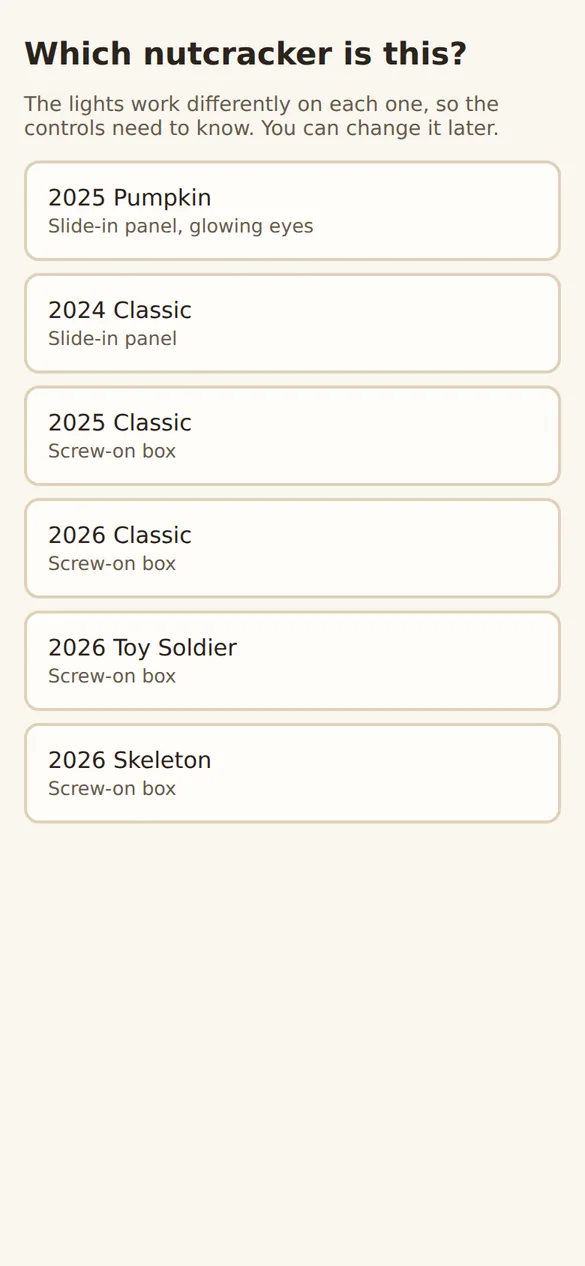
Nothing to cut, solder or rewire. You unplug the old box and plug in Holiday Heart, and you can swap them back any time. Find your nutcracker below. Not sure which you have? Here’s how to tell.
Slide-in plate (2024 Classic, 2025 Pumpkin)
- Unplug the nutcracker from the wall.
- Take the bottom panel off the base. On the 2024 Classic that’s about 15 screws: 11 around the edge and a ring of 4 partway in. (The round spot in the very middle only looks like a screw.) You can sometimes get the plate out with only some of them undone, but taking them all out is easiest. The Pumpkin’s is much the same.
- Slide the old plate out and unplug the lights from it. On the Pumpkin the plugs are held with a dab of hot glue. A fingernail may be enough; a small flat screwdriver, or a drop of rubbing alcohol on a cotton swab or Q-tip, makes it easier. If you use alcohol, let it dry before you plug anything back in. The Pumpkin also has a second, smaller plug for the eyes.
- Plug the lights (and the Pumpkin’s eyes) into Holiday Heart and slide it in where the old plate was.
- Put the panel back and plug in the power adapter.
Screw-on box (2025 Classic, 2026 Classic, 2026 Toy Soldier, 2026 Skeleton)
- Unplug the nutcracker from the wall.
- If your nutcracker is put together, twist the top half off the legs, the same way you put it on.
- Where the two halves meet, the box’s cable plugs into the cable from the lights. Press the latch and pull the plugs apart, holding the plugs rather than the wires.
- Undo the 4 screws holding the control box to the base. You’ll need a slim, long-shank Phillips screwdriver (PH1).
- Pull the old box out of the base, bringing its cable down through the legs.
- Feed the cable that comes with Holiday Heart up through the base and legs, and plug it into the cable from the lights. It only fits one way.
- Screw Holiday Heart in with the same 4 screws, put the top half back on, and plug in the power adapter.
If the cable won’t fit, or the box won’t budge: take the bottom plate off. It has 6 screws, and 3 of them are under the adjustable feet, so unscrew the feet first. With the plate off, there’s room to get the cable through the small hole on the 2025 Classic, and you can push a glued-in box out from the inside.
Using it
The buttons on the box
- Color steps through the colors, then Christmas and a multi-color look.
- Effect steps through the effects.
- Brightness steps through four levels, then off.
For anything else, like your own colors, use the phone page.
The Pumpkin’s eyes
On the Pumpkin, the eyes glow red whenever the lights are on, whatever color you pick for the bulbs. They dim with the brightness setting, and you can turn them off in the phone page’s Settings.
The timer
Slide the switch to TIMER and the lights stay on for 6 hours, then off for 18, every day. It counts from when you slide it, so slide it at dusk. Want different hours? Change them in the phone page’s Settings.
It remembers
Holiday Heart keeps your setting when it’s unplugged. Unplug it in January and it comes back the same next year.
Why some looks aren’t available on the 2026 models
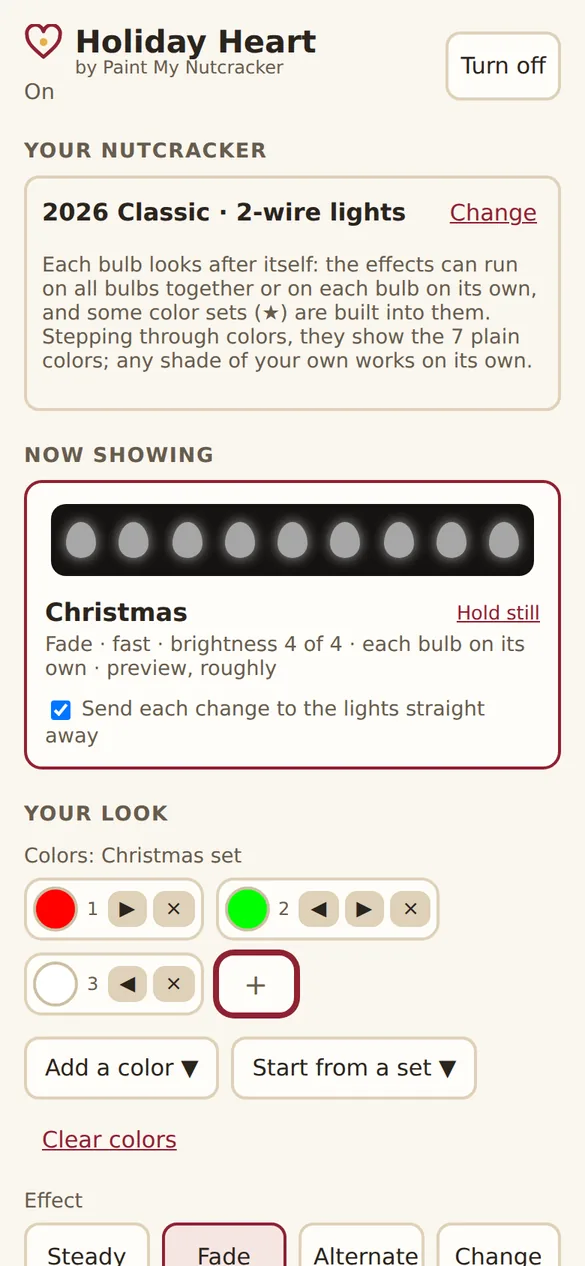
On the 2026 Classic, Toy Soldier and Skeleton, each bulb looks after itself: it has seven colors built in (red, green, yellow, blue, magenta, cyan and white) and knows a few sets, like Christmas and USA. Holiday Heart tells the bulbs what to show, but it can only ask for what the bulbs were made to do. That’s why:
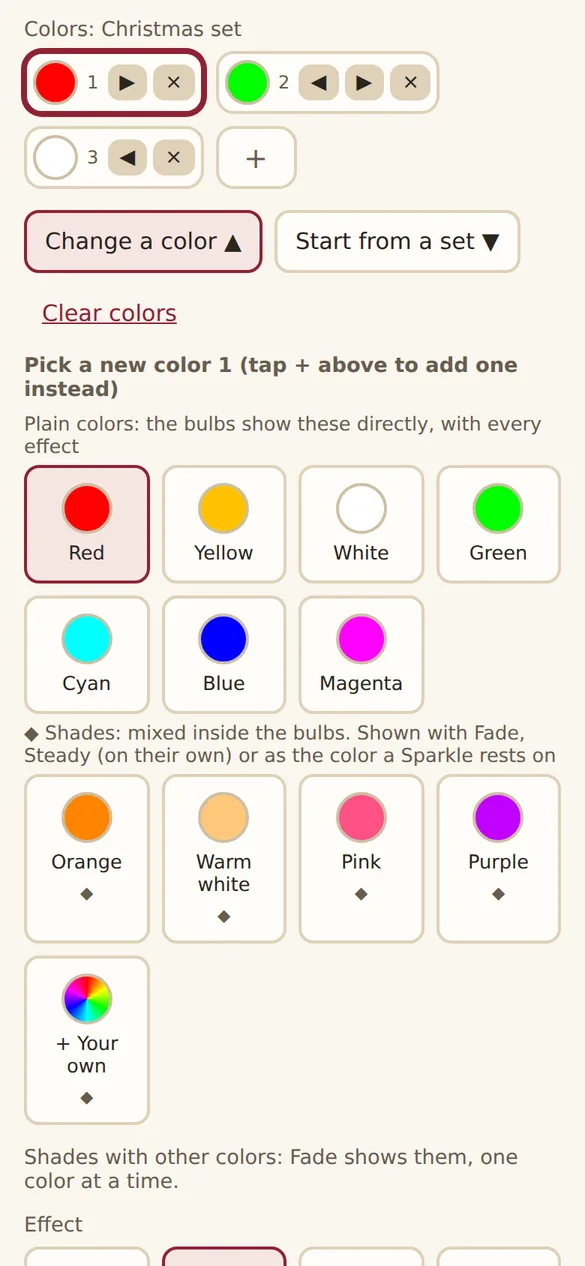
- Alternate and Change take only the seven built-in colors.
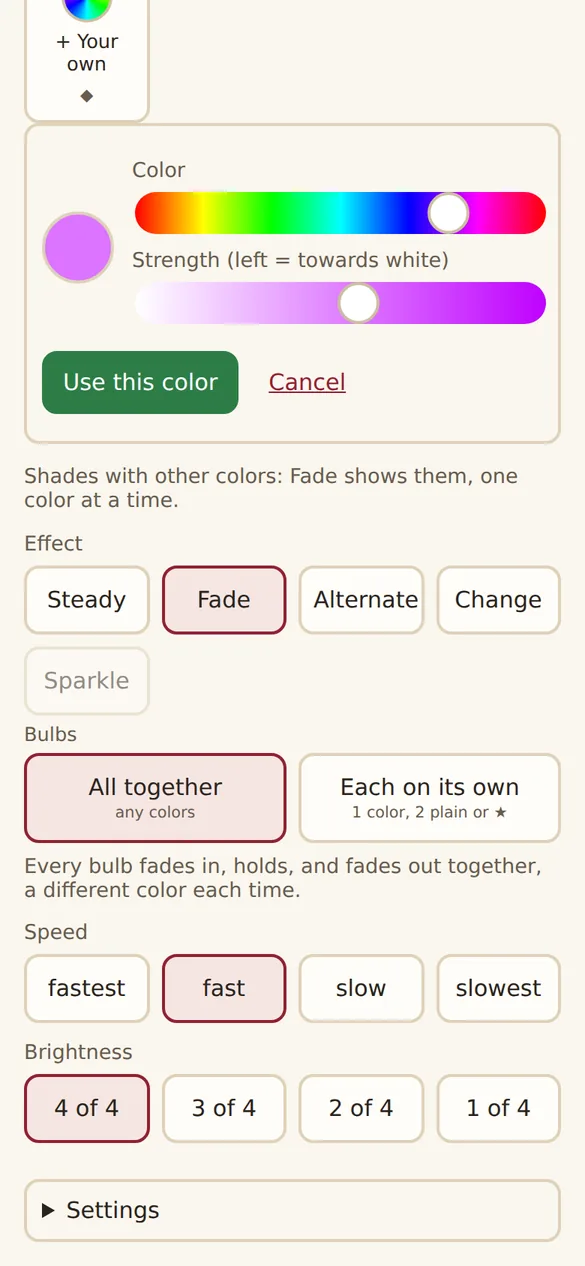
- The bulbs learn one shade of your own (orange, pink, warm white) at a time, so a shade works held steady, fading, or as the color a sparkle rests on.
- Most looks where each bulb does its own thing need one of the sets built into the bulbs.
- The bulbs choose which color each one shows, and they shuffle when you change the look.
The phone page (and the preview in the studio) only offers what the bulbs can do, and a grayed-out choice tells you what to change. The 2024 Classic, 2025 Classic and Pumpkin don’t have these limits.
The remote
If you added one, it gives you speed control, keys that jump straight to a color, and stepping back, all from across the room. One remote runs every Holiday Heart in range at once, so you only need one; a second remote won’t control a different nutcracker. To leave one nutcracker out, or if you don’t want the remote at all, turn it off in that one’s phone page Settings.
The phone page
Holiday Heart makes its own little Wi-Fi network with a page for everything: your own colors, every effect, brightness and settings. No app, and your home Wi-Fi stays out of it.
- On your phone, join the Wi-Fi network called HolidayHeart- and four letters or numbers. The password is nutcracker.
- On most phones the page opens by itself. If it doesn’t, tap the “sign in to network” notice, or open your browser at 192.168.4.1.
- When you’re done, switch back to your home Wi-Fi.
Your phone may say the network has no internet. That’s expected: choose “stay connected” or “use without internet”.
Finding your way around
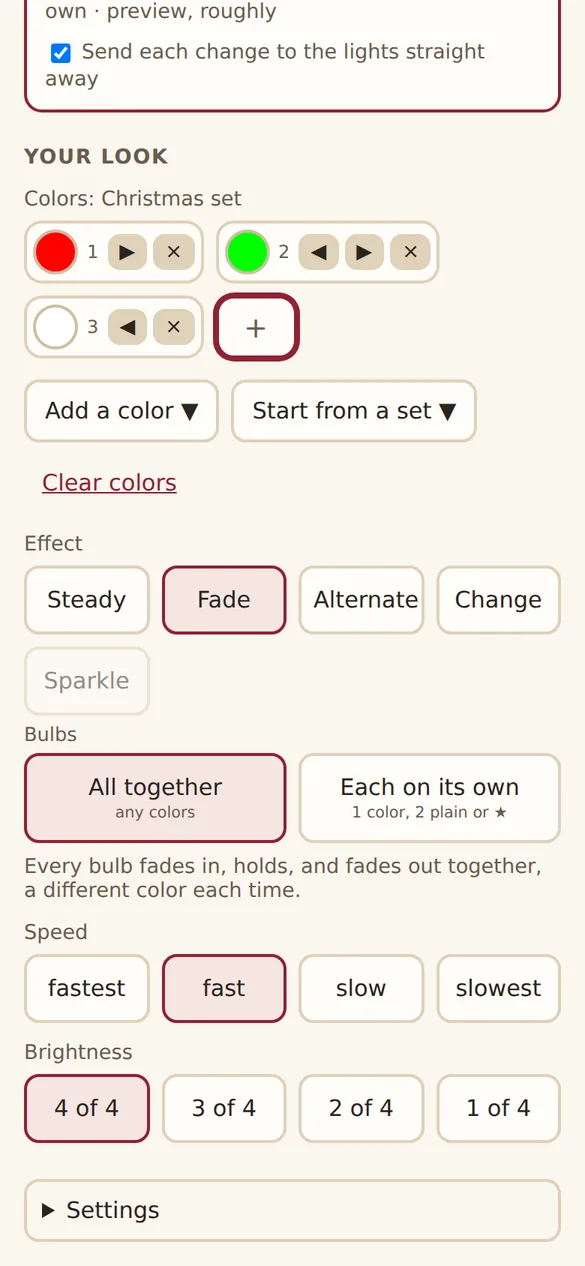
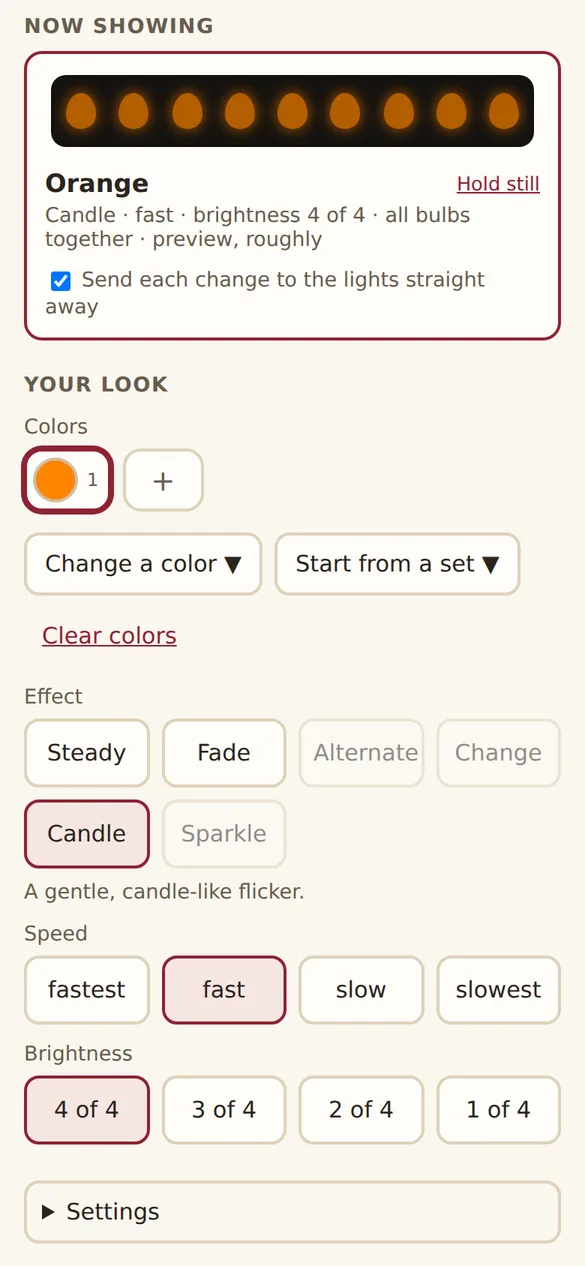
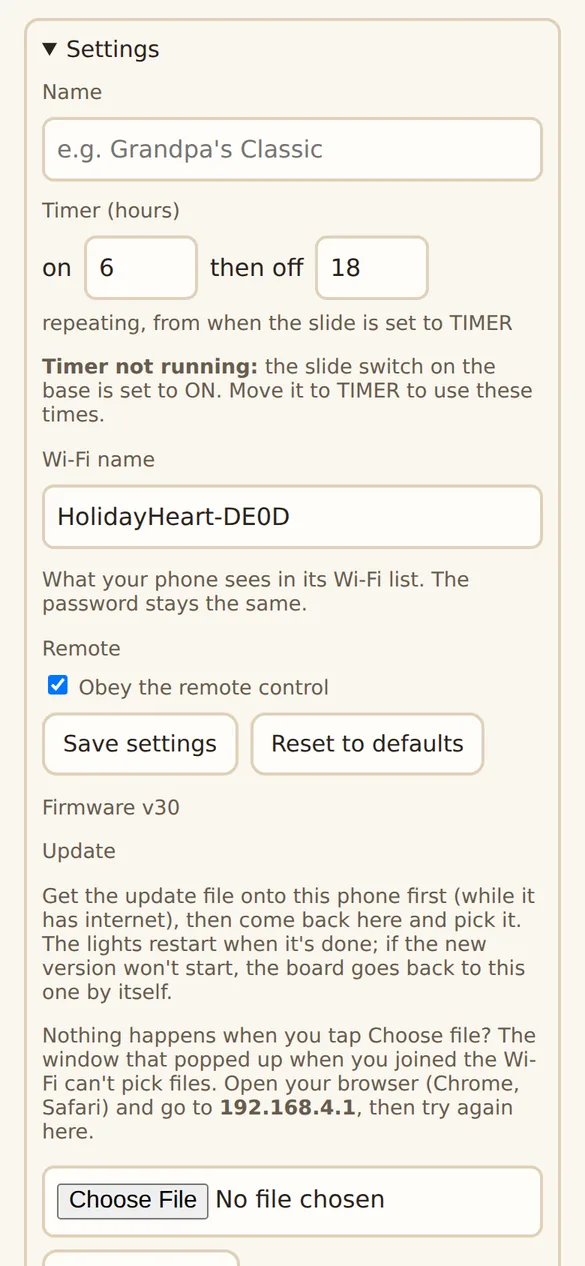
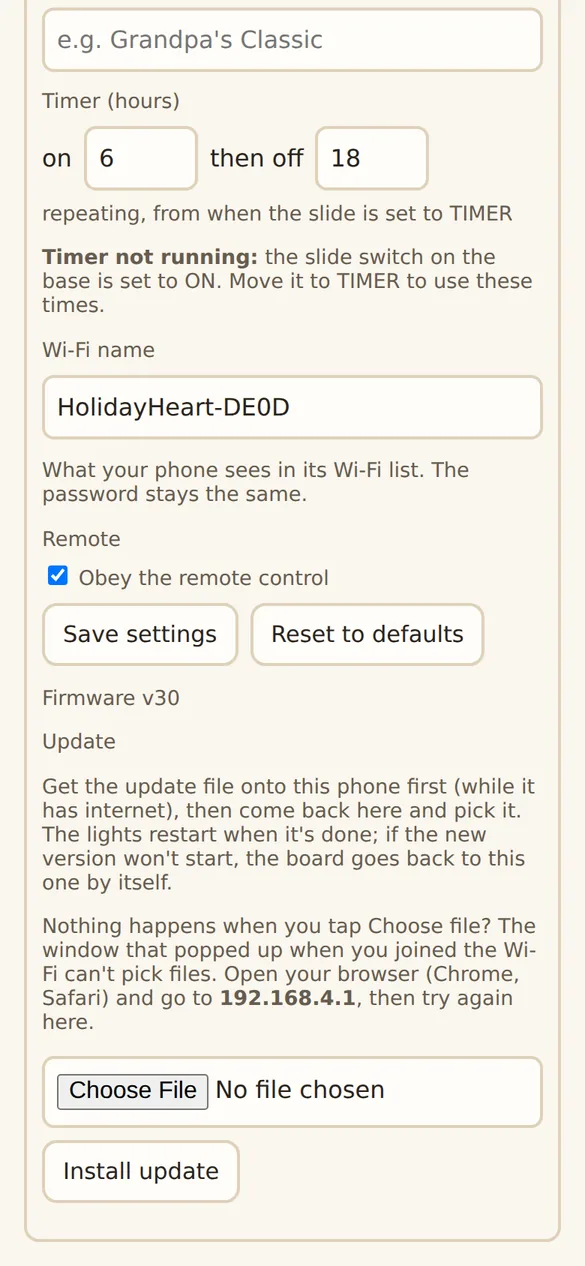
Updating
Every so often we make Holiday Heart better. Updating takes a few minutes from your phone and keeps your settings. Get the latest update and the steps.
If something’s wrong
- The page at 192.168.4.1 won’t load (Android)
- Your phone is trying to reach it over mobile data, because the nutcracker’s Wi-Fi has no internet. Turn mobile data off (or turn on airplane mode, then Wi-Fi back on) and try again.
- A color never shows, or two look mixed together
- Holiday Heart drives the bulbs and wiring your nutcracker already has, so a bulb or wire may be at fault. Write to us and tell us which model you have; we’ll sort it out.
- Still stuck?
- Write to us. Tell us which nutcracker you have and what you’re seeing, and we’ll help.